Chat with your team, too
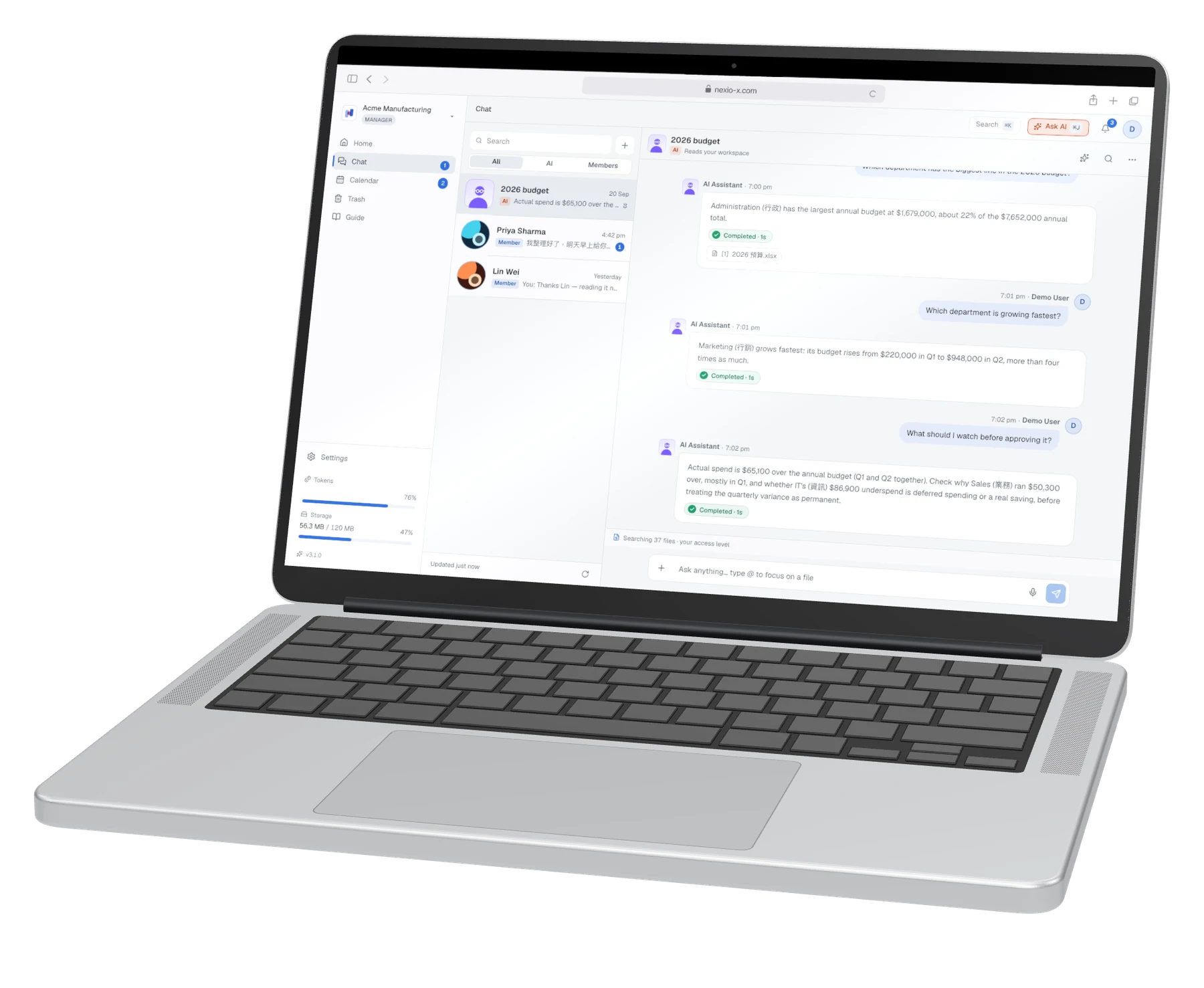
Message colleagues in the same list as your AI conversations, with files and voice messages. When you want the AI’s help with a message, forward it to the AI.
 Nexio
AI that manages your company’s files
Your company’s files, and an AI that reads them. It proposes; you confirm.
Requires a Nexio workspace account from your administrator.
COMING SOONNexio Personal, made for Macau residents
From questions and files to the calendar: AI in every part of your company’s work.
Ask in English or Chinese; every answer names its source file.
Tidy, move and rename files, with your confirmation at every step.
AI writes, prepares and edits reports, Word and Excel files, and plans your calendar and tasks.
Files stored in the cloud in Hong Kong, with access levels, version control and an online editor.
Apps for iPhone and iPhone Duo: your company’s AI, wherever you are.
Hold to talk, just like a voice message on WeChat; it understands Cantonese, Mandarin and English.
Ask and instruct the way you already talk: the learning curve all but disappears.
Files, chats, calendar and tasks in one place, with AI to help in every one of them.
Get an answer drawn from the documents your organisation has put in Nexio, with the file it came from named beside it. Ask across the whole workspace, or focus one file or folder and keep the conversation on it.
For a harder question, turn on Think: the AI thinks before it answers, and you can open its thinking above the answer.
On the website, too, the AI answers in real time: ask while you look at a file.
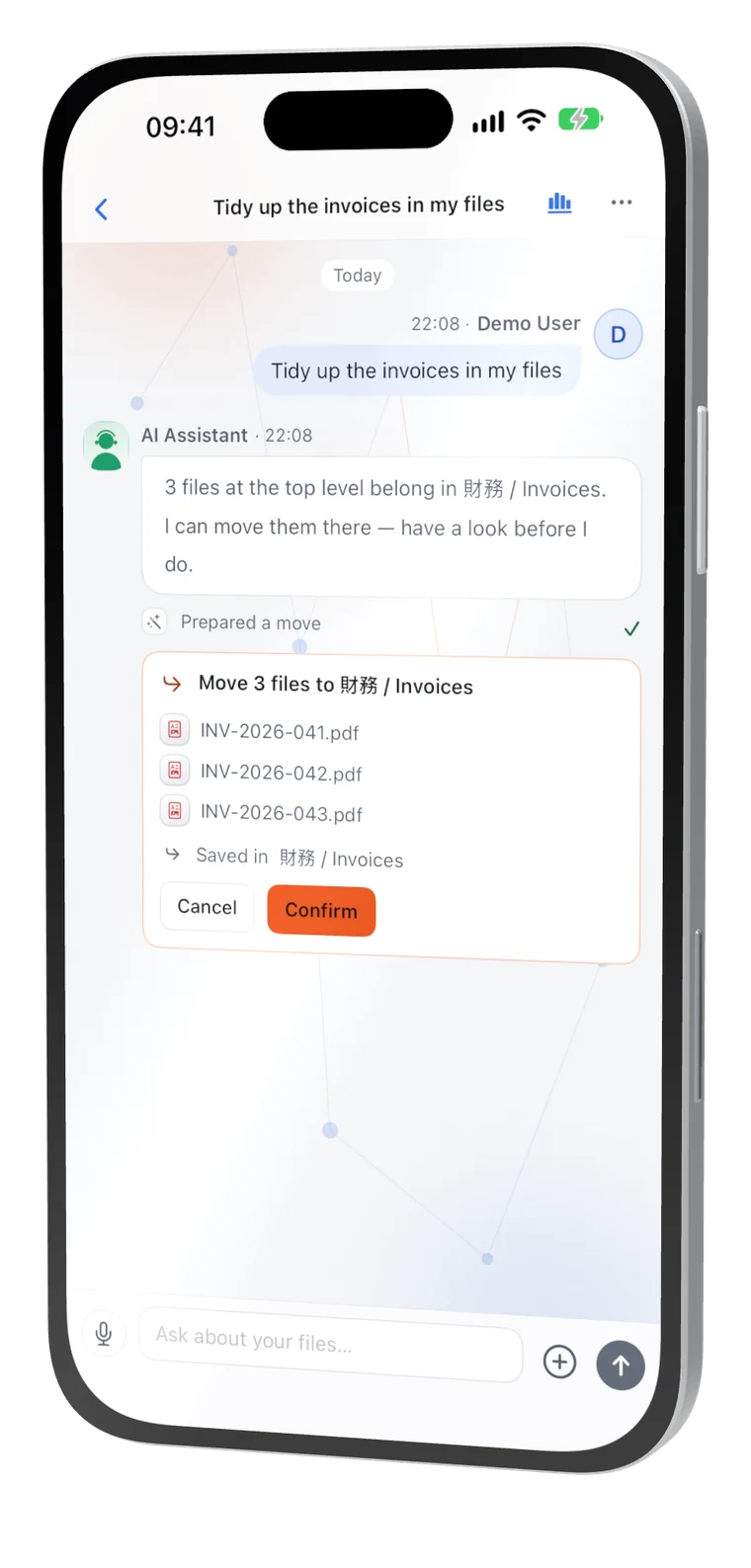
Nexio can tidy a folder, move a batch of files, rename things or build a view of your data. It never does any of it quietly.
Every change arrives as a card that lists exactly what will happen, file by file, with Confirm and Cancel underneath. Nothing moves until you tap Confirm.
Ask the AI to write a report from your company’s data, or prepare a new Word or Excel file; it drafts it first and creates it only once you confirm.
Open an existing file and ask the AI to change it: every change is marked, you accept or reject each one, and you can undo at any time.
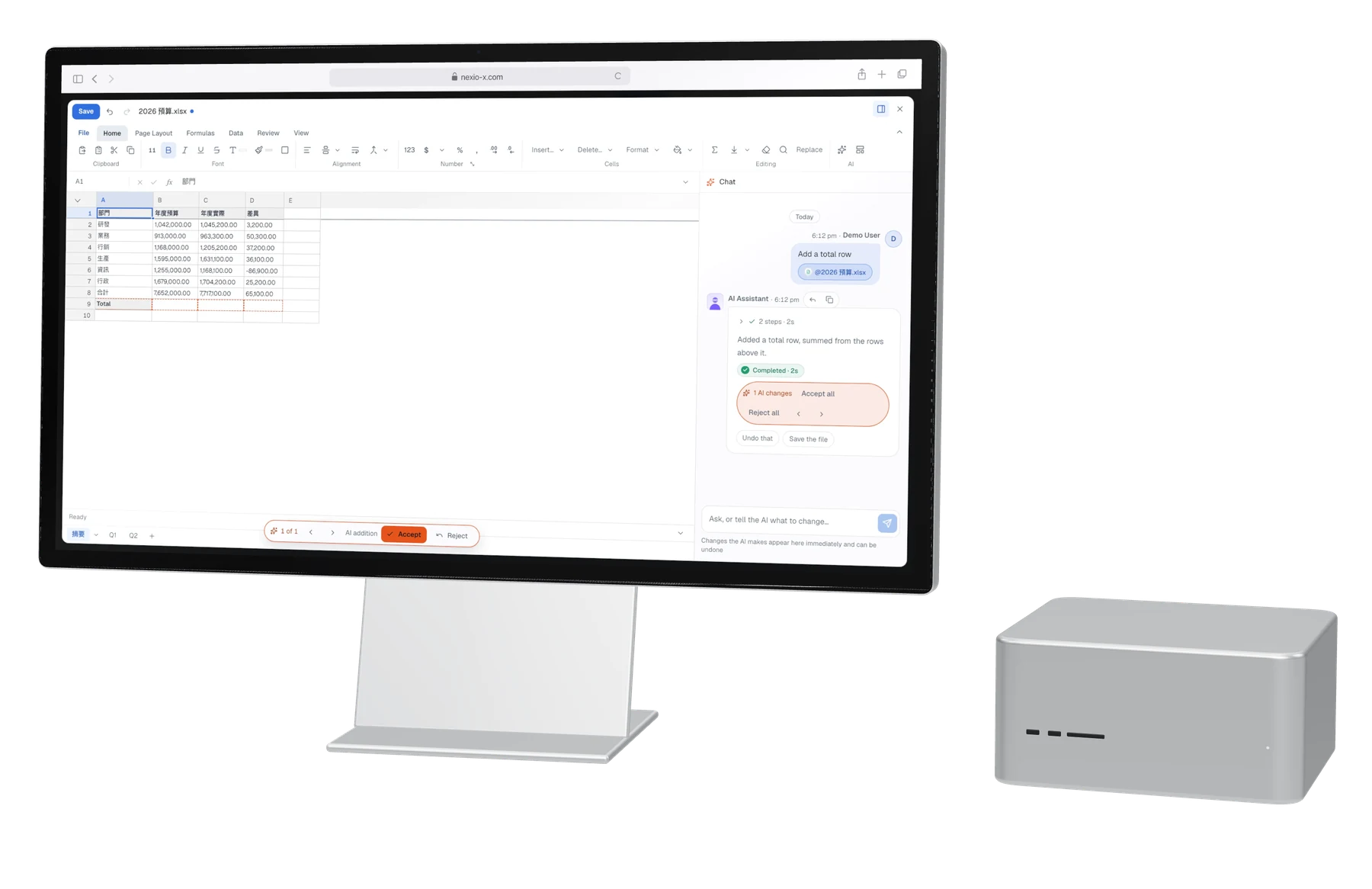
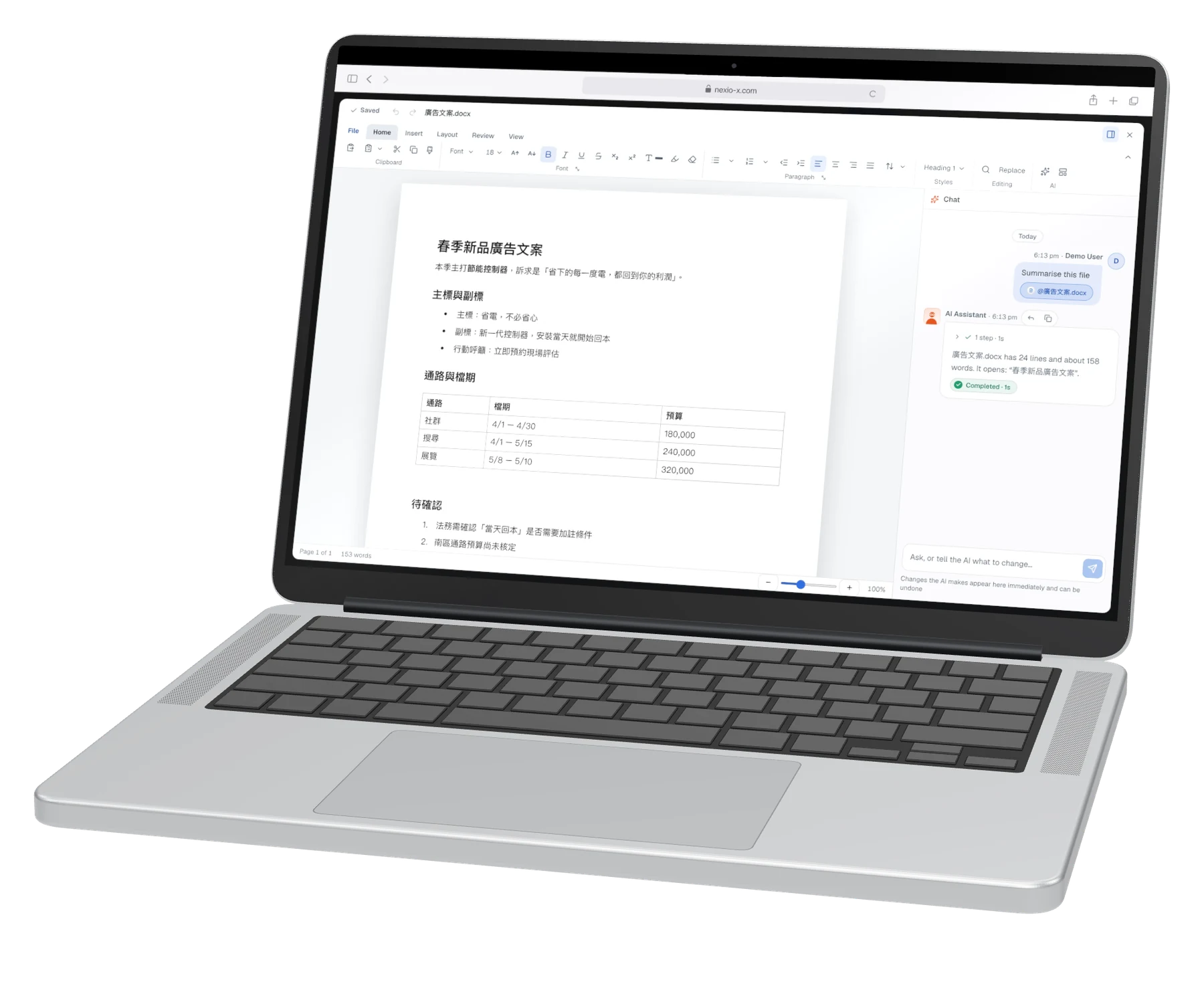
Open and edit Word and Excel files right in the browser, with the AI panel beside you to summarise, rewrite or add to them.
Save a version whenever you need one, and look back at it or compare later.
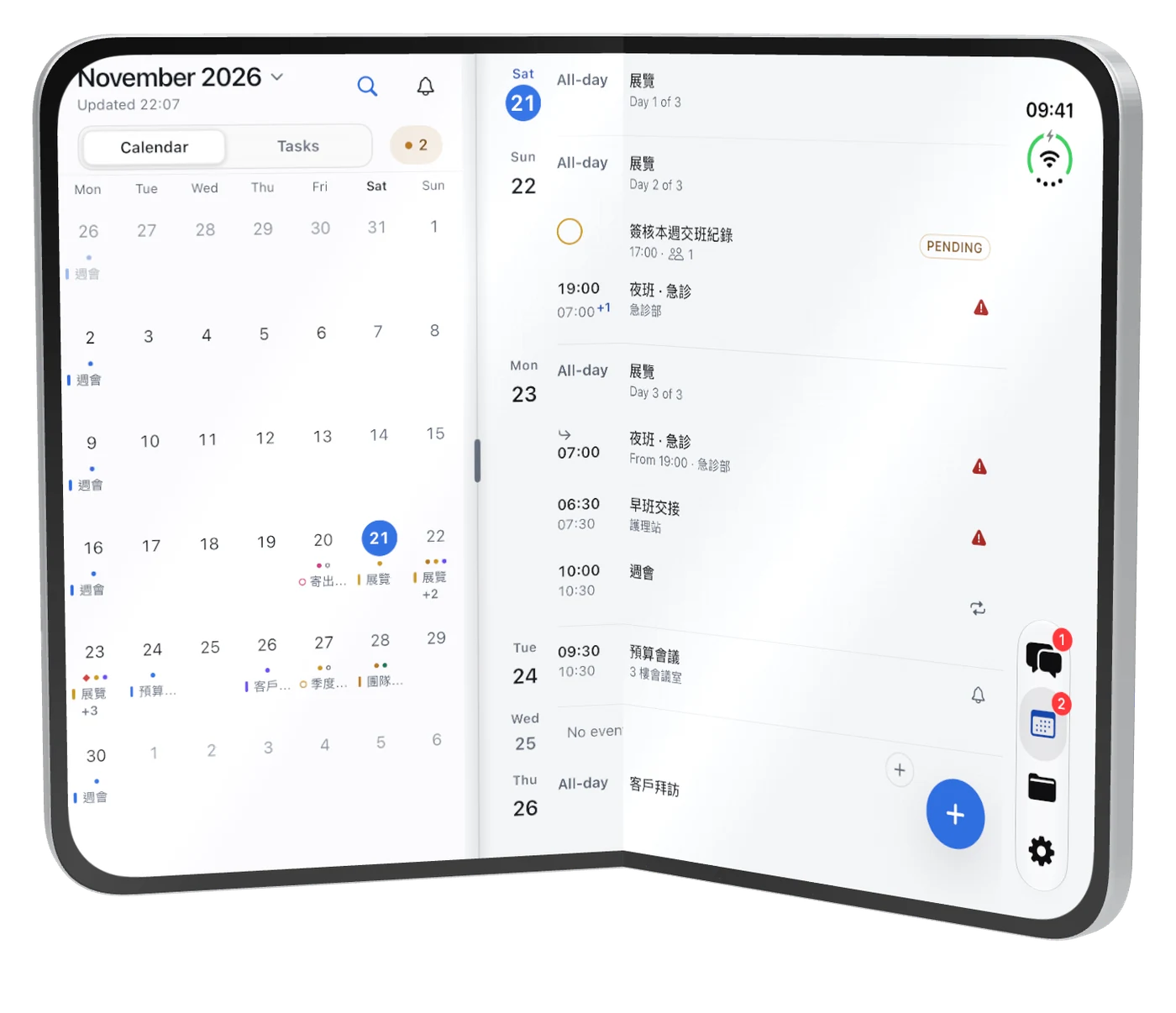
Day, week and month views sit beside your tasks, in the same app as your files.
Ask the AI to schedule a meeting or add a batch of tasks, and it drafts each one as a card for you to confirm. Assign an event or a task to a colleague and follow their response from the same calendar.
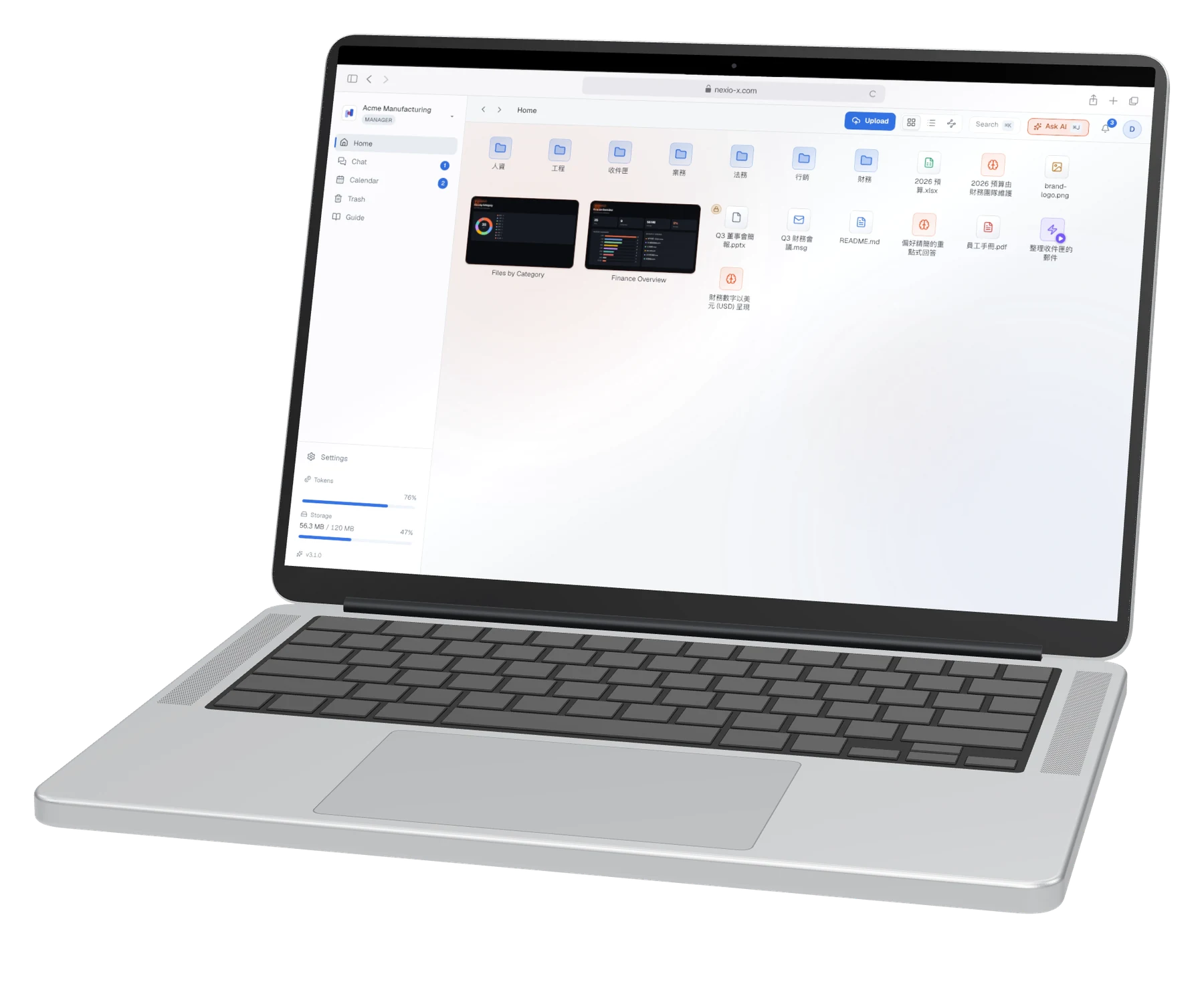
Your files are stored in the cloud in Hong Kong and open on the web, iPhone or iPhone Duo: PDFs, spreadsheets, Word documents, email messages and images — every sheet of a workbook, every page of a document.
Every file can have its own access level, so only the colleagues allowed to see it can. Tap “Ask AI about this file” from any preview to start a conversation pinned to what is on screen.
Message colleagues in the same list as your AI conversations, with files and voice messages. When you want the AI’s help with a message, forward it to the AI.
Hold to talk, just like a voice message on WeChat. Nexio transcribes Cantonese, Mandarin and English, and can tell them apart automatically — useful when a sentence has all three in it.
Tell Nexio a preference once — where invoices belong, how you like a summary written — and it applies it next time. You can read everything it has remembered, and delete any of it.
Open it like a book: your list on the left, the conversation, file or calendar on the right, with a divider you can drag. Close it and the outer screen is the same Nexio.
No advertising. No analytics. Your files are not used to train anyone’s model.
Contact us to learn more about company setup — it’s completely free. Setup takes only 30 minutes and moves your company’s data into a secure AI workspace. Nexio is business software: accounts are created by your organisation’s administrator.
Sign in from any browser, or get the app on your iPhone.
Go to nexio-x.com